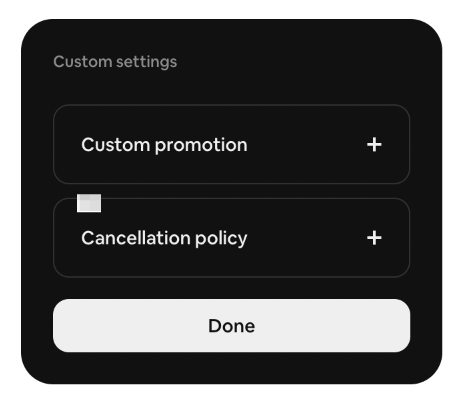
#HowTo set a Custom Promotion on Airbnb
Airbnb has added seasonal cancellation policies and upgraded Custom Promotions. Follow these steps to create a custom promotion. Bonus: Learn to set a seasonal cancellation policy.
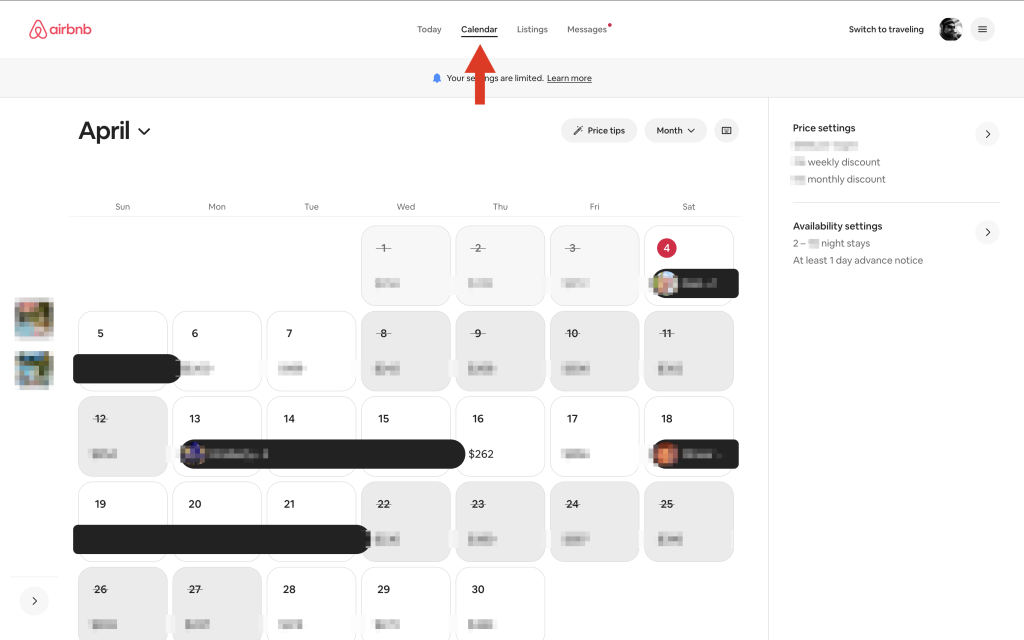
Open your calendar
Click the specific day to create a custom promotion. To select a date range, click the start date, then shift-click the end date.
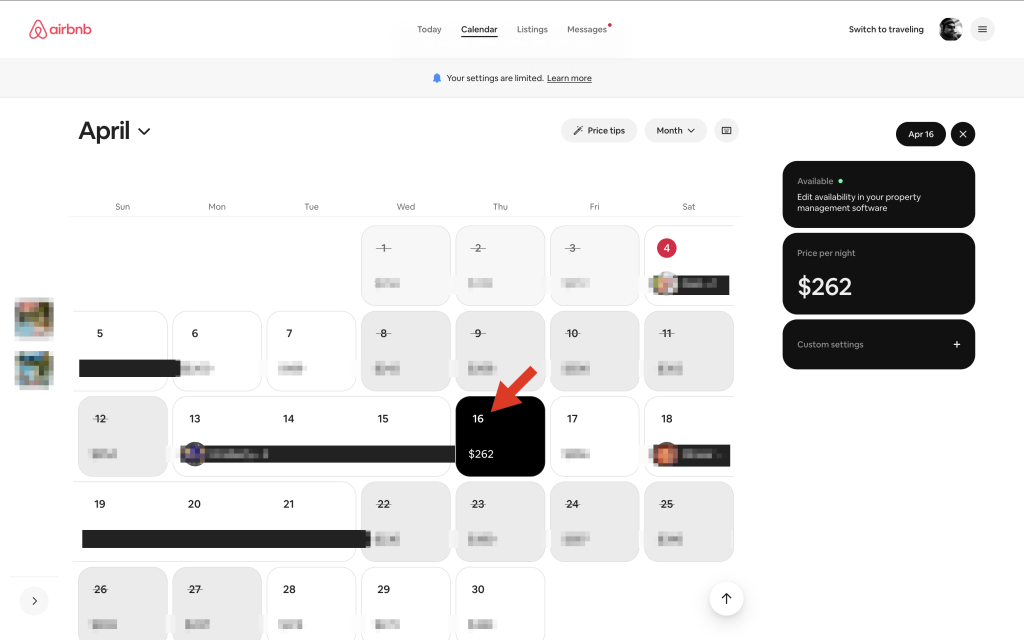
Click Custom settings in the black box on the right.
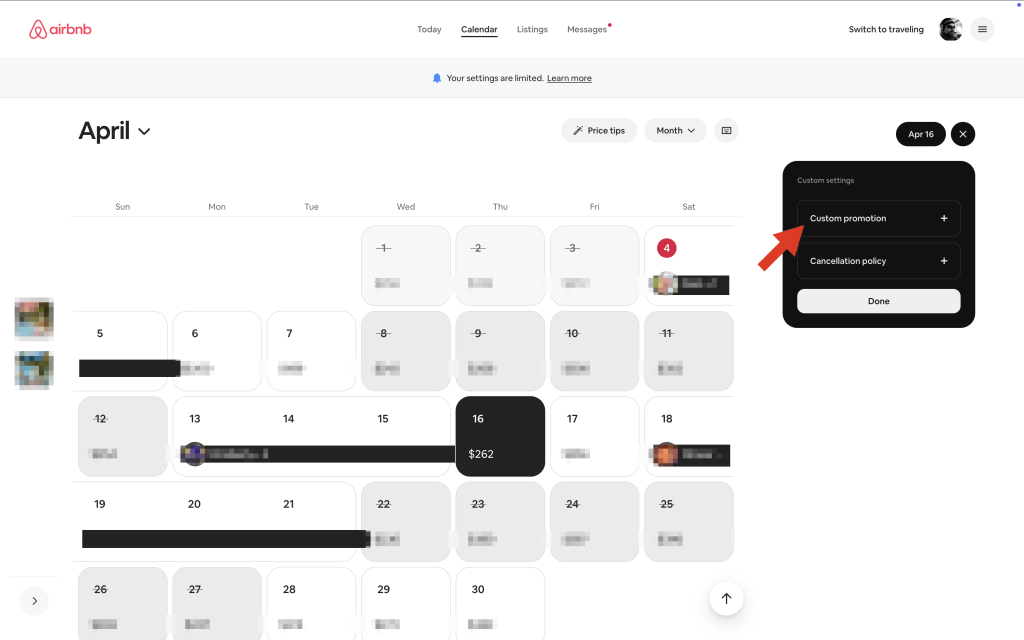
Select Custom promotion from the menu.
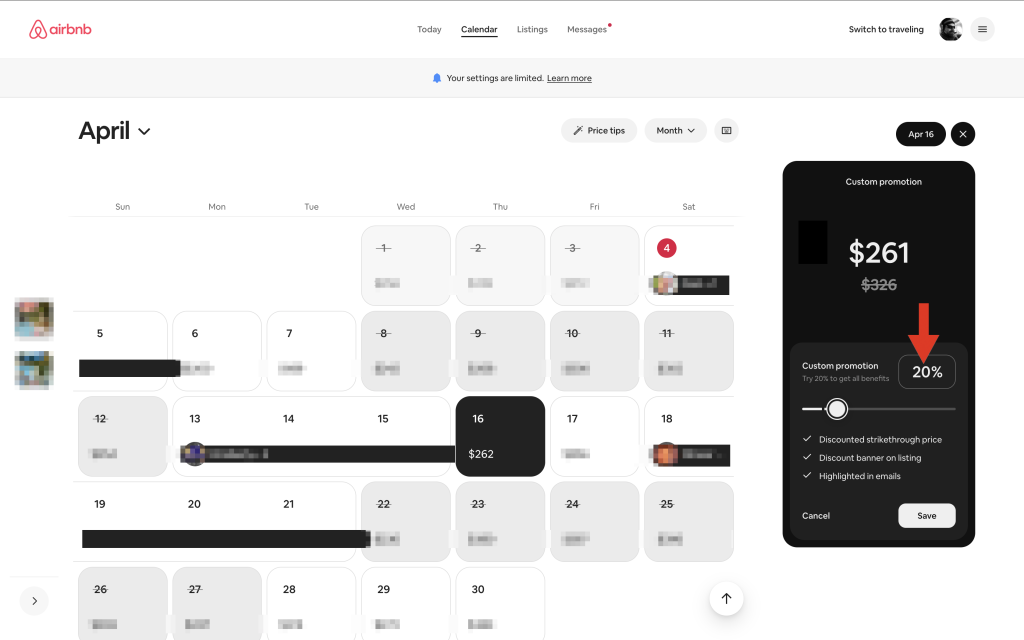
Select your discount and click Save. That’s it. Custom promotions can now run for just one day (previously, the minimum was two days). (Curious why Airbnb calculates 20% off $262 as $261? Check out this article.)
#BonusFeature
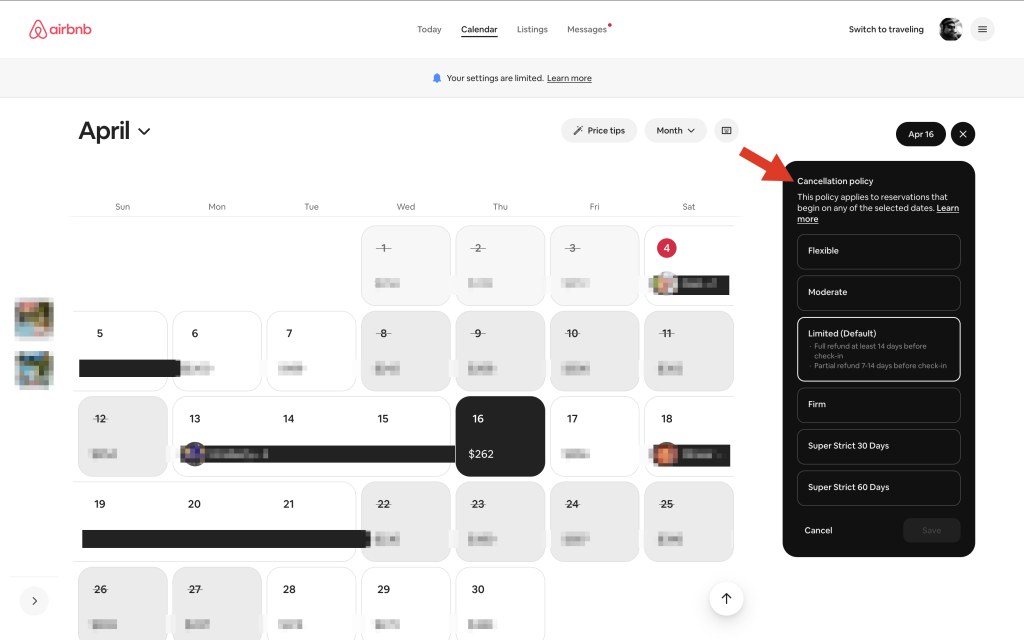
While you’re in Custom settings, you can also update your cancellation policy for that day. If you want to know why changing your cancellation policy might help your last-minute promotion, read How to set the perfect cancellation policy for more details.